
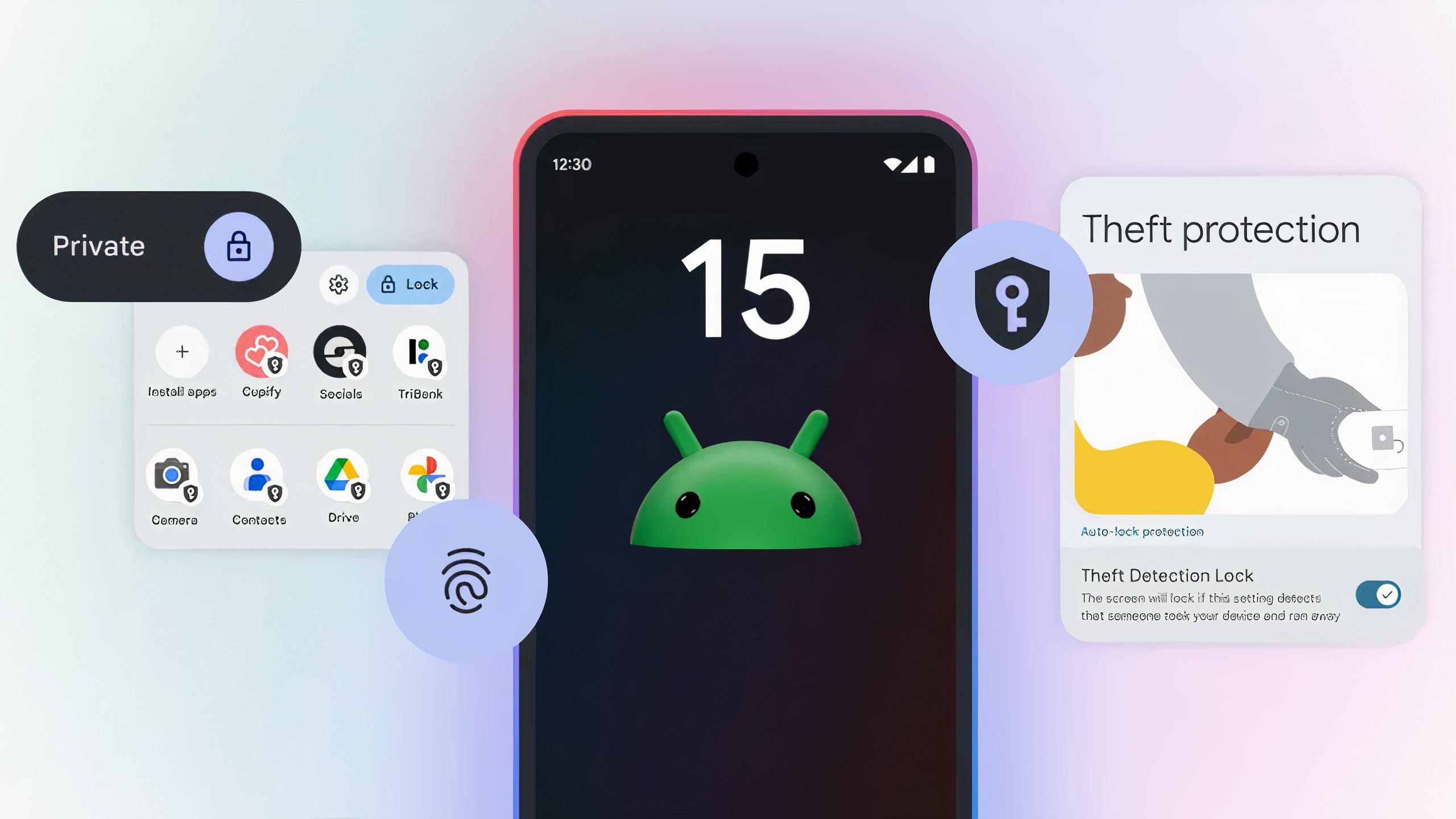
Unlocking Android 15’s Potential: A Veteran’s Guide to Key Features
After more than 15 years navigating the Android ecosystem, I’ve witnessed its evolution from a nascent platform to a sophisticated powerhouse. Android 15 isn’t just an incremental update; it brings substantial refinements that genuinely enhance daily usability and device security. In this guide, I’ll share the most impactful features from my perspective, offering practical insights gained from years in the field.
Enhanced Privacy and Security Controls
One area where Android consistently evolves, and where I’ve seen countless users stumble, is privacy and security. Android 15 introduces more granular data sharing, building on previous versions. Specifically, the "Privacy Sandbox on Android" integrates further, offering direct control over app access to your data, especially photos and videos. I’ve seen many clients, for convenience, grant every app full media access—a common beginner’s mistake. This broadens your attack surface. Android 15 now prompts for partial media access, letting you select specific photos or videos, rather than granting carte blanche. This subtle yet powerful feature is a game-changer for protecting personal content.

"The evolution of Android’s privacy controls demonstrates a clear commitment to user empowerment. Giving individuals more granular control over their data isn’t just good practice; it’s essential for building trust in our increasingly connected world." — Dr. Anya Sharma, Digital Ethics Researcher
Pro Tip: Make it a habit to regularly review app permissions. Android 15’s updated Privacy Dashboard provides a clear overview of which apps accessed what data and when. Use this to audit your digital footprint and revoke unnecessary permissions. You’d be surprised how many apps retain permissions they no longer need after initial setup.
Adaptive Notifications and Focus Modes
The constant digital cacophony can be overwhelming. Android 15 addresses this with smarter notification management and expanded focus features. I’ve personally struggled with notification fatigue. A common beginner’s mistake is ignoring notification settings, allowing every app to clamor for attention, leading to missed important alerts and distractions. Android 15 introduces "Notification Cooling," intelligently reducing successive notification intensity from the same app, preventing sensory overload without silencing critical alerts. Furthermore, "Space" sees deeper integration, allowing context-aware focus profiles. Imagine your phone automatically transitioning to a "Work" profile, silencing non-work apps and prioritizing critical communications. This automation is a huge productivity booster.
Pro Tip: Leverage Android 15’s enhanced Focus Modes. Customize profiles for different scenarios like "Work," "Driving," or "Sleep" to automatically manage notifications and app access. This proactive approach significantly reduces digital distractions and improves concentration.
Deeper UI/UX Customization with Material You
Android’s visual identity has always been a key differentiator, and with Android 15, Material You truly blossoms. I’ve often seen users stick to default themes, missing the personal touch that makes their device uniquely theirs. This isn’t just aesthetics; a personalized interface improves usability and intuition. "Color Contrast" and "App Archiving," while seemingly minor, offer significant quality-of-life improvements. Color contrast is crucial for accessibility, ensuring readability. App Archiving is a masterstroke for storage management. How many times have you kept an app installed "just in case" but rarely used it, wasting precious storage? Android 15 allows archiving these apps, freeing space while keeping user data intact, making re-installation seamless.
"While flashy features often grab headlines, it’s the subtle refinements in areas like notification management and system-level customization that truly define a mature operating system. Android 15 nails these nuanced improvements." — Mark Chen, Senior Mobile UX Architect
Pro Tip: Dive into the expanded Material You customization. Don’t just settle for default color palettes; explore the new custom color options and consider how different palettes impact readability and your overall user experience. Also, get proactive with App Archiving. Review your app drawer monthly and archive anything you haven’t touched in weeks. Your storage will thank you.
Health Connect Enhancements and Adaptive Vibration
For years, managing personal health data across apps felt like a fragmented nightmare. Android 15 significantly strengthens Health Connect, making it the central hub for all your fitness and wellness data. I’ve guided individuals through integrating smartwatches, trackers, and dietary apps, only to see frustration from inconsistent data syncing. With Android 15, Health Connect gains robust permissions and a streamlined interface, ensuring a cohesive and reliable data aggregation experience. Another subtle but impactful feature is adaptive vibration. This might seem minor, but after decades of generic, one-size-fits-all vibrations, the ability for your phone to intelligently adjust haptic feedback based on context and environment is a welcome refinement. Imagine softer vibrations on a table versus a stronger one in your pocket. This attention to detail improves the tactile experience without being intrusive, a common complaint from users who turn off all vibrations.
Pro Tip: If you use multiple health and fitness apps, set up Health Connect immediately after updating to Android 15. Grant necessary permissions and link all compatible services. This unified dashboard provides a holistic view of your health metrics, empowering better decision-making without jumping between half a dozen apps.
| Feature Category | Android 15 Improvement | Practical Benefit |
|---|---|---|
| Privacy & Security | Partial media access; Enhanced Privacy Dashboard | Granular control over personal data; Better security oversight |
| Notifications | Notification Cooling; Deeper Focus Mode integration | Reduced notification fatigue; Improved concentration |
| UI/UX | Expanded Material You colors; App Archiving | Personalized aesthetics; Optimized storage management |
| Health & Wellness | Robust Health Connect integration | Centralized health data; Seamless tracking |
| Haptics | Adaptive Vibration | Context-aware, less intrusive haptic feedback |
FAQ Section
1. Is my device compatible with Android 15?
Google Pixel devices are typically the first to receive new Android versions. For other manufacturers like Samsung, OnePlus, or Xiaomi, compatibility depends on your device’s age and the manufacturer’s update policy. Flagship devices from the last 2-3 years are strong candidates. Check your manufacturer’s official support page or your device’s "System Updates" section for specific information.
2. How do I get Android 15 on my phone?
Once Android 15 is officially released for your device, you’ll usually receive an over-the-air (OTA) update notification. You can manually check for updates by going to Settings > System > System update (or a similar path). Ensure you have a stable Wi-Fi connection and sufficient battery charge (at least 50%) before initiating the update.
3. What’s the single biggest user benefit of Android 15?
While many features are compelling, I’d argue the most significant benefit is the cumulative effect of enhanced user control and intelligence. From more precise privacy settings and smarter notifications to seamless health data integration, Android 15 empowers users to tailor their digital experience more effectively and securely than ever before. It’s not one killer feature, but rather a suite of intelligent improvements that make your daily interactions more efficient and private.